Meta Description: Confused between direct modeling and parametric modeling in CAD? Learn the key differences, pros and cons, and which approach fits your design workflow.
If you’ve spent any time exploring CAD software, you’ve likely come across two very different approaches to building 3D models: direct modeling and parametric modeling. Both let you create the same kinds of parts and assemblies, but they go about it in fundamentally different ways — and choosing the right one can have a big impact on how efficiently you design.
In this article, we’ll break down what direct modeling and parametric modeling actually mean, how each one works, and which approach might be the better fit depending on your project. We’ll also look at how modern CAD software, including browser-based tools like HVH Designer, is blending both methods to give designers more flexibility.
What Is Parametric Modeling?
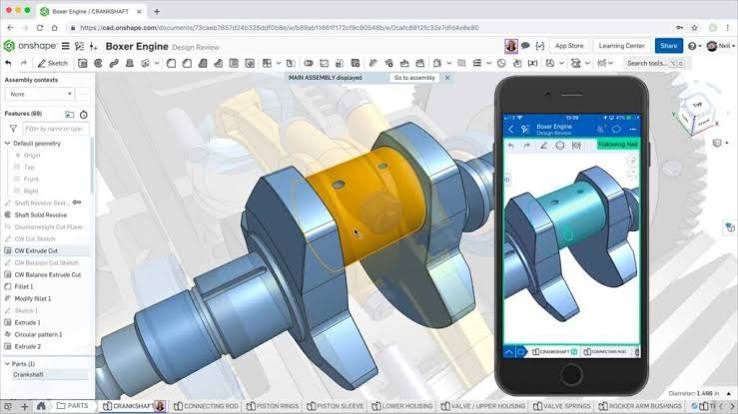
Parametric modeling is the traditional, feature-based approach used by most established CAD software. Every shape you create is tied to a set of parameters — dimensions, constraints, and relationships between features. If you change one parameter, every downstream feature that depends on it updates automatically.
For example, if you design a bracket with a hole positioned a fixed distance from the edge, and later resize the bracket, the hole will move along with it because the relationship was defined in the model’s history tree.
Key Characteristics of Parametric Modeling
· Built on a feature history — every action (extrude, fillet, hole, etc.) is recorded as a step
· Changes ripple through the entire model based on defined relationships
· Great for maintaining design intent across complex, evolving projects
· Requires more upfront planning, since poorly structured parameters can cause errors later
What Is Direct Modeling?
Direct modeling takes a more hands-on approach. Instead of working through a chain of parametric features, you interact directly with the geometry itself — pushing, pulling, or dragging faces, edges, and surfaces to reshape the model on the spot.
There’s no feature history to manage, and no dependency tree to worry about. You simply select a surface and modify it, and the model updates immediately, without needing to trace back through previous steps.
Key Characteristics of Direct Modeling
· No feature history — you edit geometry directly, in real time
· Faster for quick changes, especially on imported or unfamiliar models
· Fewer constraints to manage, which reduces the chance of “broken” features
· Less suited for maintaining strict design intent across highly interdependent parts
Direct Modeling vs Parametric Modeling: The Core Differences
The clearest difference comes down to editing style. Parametric modeling is rule-based — changes flow through a feature tree, taking longer to set up but staying consistent across a structured, repeatable design. Direct modeling is freeform: you edit geometry directly, making quick, one-off changes much faster, even without preserving that same long-term structure.
The two approaches also differ in learning curve and best-fit use cases. Parametric modeling has a steeper learning curve, since it requires understanding constraints and relationships between features, but it’s the stronger choice for complex assemblies, repeatable designs, and manufacturing-ready parts. Direct modeling is easier for beginners and works especially well for concept work, quick edits, and imported geometry — files from other CAD systems often lack the original feature history, which can cause parametric tools to struggle. Direct modeling sidesteps this problem entirely, since it works directly with the geometry in front of you.
When Should You Use Parametric Modeling?
Parametric modeling shines in situations where design intent matters — meaning you want changes to propagate logically through the entire model. This makes it the go-to choice for:
· Products that go through multiple revisions over time
· Assemblies with many interdependent parts
· Manufacturing environments where consistent, repeatable dimensions are critical
· Teams that need a clear, auditable history of how a design evolved
If you’re building a gear assembly, a machine housing, or any product likely to be revised repeatedly, parametric modeling gives you control and consistency.
When Should You Use Direct Modeling?
Direct modeling is ideal when speed and simplicity matter more than long-term structure. It works well for:
· Early-stage concept design, where you’re still exploring shapes
· Making quick edits to a model without needing to understand its original feature history
· Working with files imported from other CAD systems that don’t carry parametric data
· Beginners who want to start designing without learning constraint-based workflows first
If you just need to quickly modify a part — resize a hole, adjust a curve, or reshape a surface — direct modeling often gets you there faster.
Can You Use Both?
Increasingly, yes. Many modern CAD platforms now support hybrid workflows, letting you use parametric tools for structured design work and direct modeling tools for quick, on-the-fly edits within the same environment. This flexibility is especially valuable for teams working across different stages of a project — from early concepts to manufacturing-ready models.
Cloud-based, browser-based CAD software like HVH Designer is built with this kind of accessibility in mind, giving beginners an approachable entry point while still supporting the modeling flexibility more experienced users expect. Instead of forcing users to commit to one rigid workflow, tools like this make it easier to move between exploratory design and precise, structured modeling as a project develops.
Final Thoughts: Which Should You Use?
There’s no universal answer — the right choice depends on your project and your comfort level with CAD. If you need precision, repeatability, and long-term design control, parametric modeling is usually the stronger choice. If you value speed, simplicity, and flexibility — especially for quick edits or concept work — direct modeling may serve you better.
For many designers, especially those just starting out, browser-based CAD software offers the best of both worlds: an easy way to begin exploring direct modeling concepts while building toward more structured, parametric workflows as your skills grow.